CRM-to-Accounting Integration: A Practical Guide
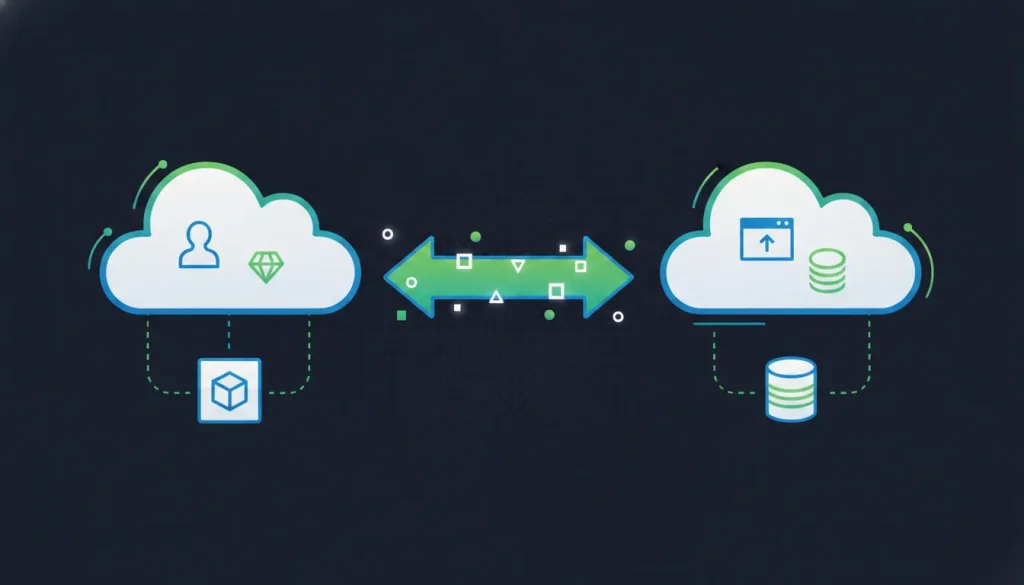
A closed-won deal does not become revenue simply because it exists in your CRM. Someone still has to carry customer, product, contract, and billing details into accounting, then keep invoice and payment status visible to the teams managing the relationship. When that handoff depends on spreadsheets or duplicate entry, small differences can become delayed billing, reconciliation work, and unclear ownership.
CRM-to-accounting integration connects commercial records with financial workflows so teams can move the right data between systems, apply agreed mappings and transformations, and keep key statuses aligned. A typical flow may connect Salesforce with QuickBooks, while broader designs include HubSpot, Dynamics 365, NetSuite, databases, APIs, or a data warehouse.
The goal is not to make every system identical. It is to define which platform owns each record, what should move, and when. Start with the roles these systems play, then use those decisions to shape a dependable integration architecture.
What Is CRM-to-Accounting Integration?
CRM-to-accounting integration connects the commercial records used by sales and customer teams with the financial records used by Finance. Instead of treating a customer, deal, invoice, and payment as unrelated entries, the integration creates a controlled flow between the systems that manage each stage of the relationship.
In a typical lead-to-invoice process, a prospect becomes a CRM contact, the contact is associated with a closed-won opportunity, and the relevant customer and transaction details are handed to accounting for invoicing. A connected workflow can link those records across the lifecycle, reducing broken handoffs and revenue-cycle delay. The goal is not to make the CRM an accounting system or the accounting platform a sales system. Each remains responsible for the records and decisions it is designed to manage.
That distinction matters when teams decide what information should move. CRM and accounting data together can help align deals, invoices, payments, revenue recognition, forecasting, and reporting. It can also give authorized teams a broader view of client information, including contact details, financial data, interactions, and requirements. The right design preserves Finance’s control over financial outputs while making relevant status visible to sales and operations.
- Reduce rekeying between sales, operations, and Finance.
- Carry consistent customer and deal context into billing and invoicing.
- Return useful invoice or payment status to the teams managing the relationship.
- Expose gaps and exceptions earlier, before they become reconciliation work.
Disconnected records create friction at every handoff. A sales representative may update a company name or billing detail in the CRM, while an accounting user works from an older record. Finance may then need to reconcile differences manually, and sales may lack a reliable view of invoice or payment status. DBSync’s ideal use cases span RevOps, Finance, operations, IT, data engineering, and database administration teams that need dependable cross-system data flow. The customer profile reports manual data-entry burdens of 15 to 25 hours per week in relevant environments, but that figure is an ICP observation, not a universal result.
Integration also differs from a one-time export. An export copies a snapshot from one system to another and may be useful for migration, analysis, or an initial load. Synchronization establishes an ongoing rule for how selected records are kept aligned as they change. Depending on the process, that may include sending approved CRM data to accounting and returning financial status to the CRM. Teams can use Cloud Workflow to define application handoffs and transformations around the business process, rather than relying on repeated spreadsheets or ad hoc file transfers.
How Should CRM and Accounting Systems Work Together?
The strongest CRM-to-accounting integration starts with clear ownership. Your CRM should remain the commercial system of record for leads, contacts, opportunities, products, and deal status. Your accounting platform should remain the financial system of record for invoices, payments, journals, and other accounting outputs. This division prevents two systems from quietly competing to define the same fact.
Ownership is separate from synchronization direction. A CRM may publish a closed-won opportunity to accounting, while accounting sends invoice and payment status back to the CRM. That is a two-way flow, but it does not mean both systems own every field. Define the authoritative source for each object and field before building mappings.
| Architecture. | Best fit. | Key design decision. |
|---|---|---|
| One-way flow. | A defined handoff, such as approved CRM deals to accounting. | Choose the source system and define when a record becomes eligible to move. |
| Two-way flow. | Teams that need invoice or payment status visible in the CRM. | Set field-level ownership, update rules, and safeguards against circular updates. |
| Hub and spoke. | Several applications, databases, or reporting destinations share data. | Centralize transformation and governance without creating a new uncontrolled master. |
| Direct connection. | A small, stable integration between two systems. | Keep mappings, error handling, and future expansion maintainable. |
Choosing between direct flows and a hub-and-spoke model
A direct connection can be practical when Salesforce and QuickBooks are the only systems involved and the handoff is narrow. As the business adds NetSuite, Microsoft Dynamics 365, HubSpot, databases, or a data warehouse, separate point-to-point links can multiply mappings and make ownership harder to audit. A hub-and-spoke design can provide a consistent place for transformations, filtering, and operational monitoring, while each connected system keeps its defined role.
When replication, workflows, or both make sense
Use replication when the priority is continuous movement of datasets, incremental synchronization, change data capture, or keeping a database and another platform aligned. DBSync Cloud Replication supports full-load and incremental synchronization, CDC, schema mapping and evolution, filtering, field mapping, and transformations. Explore Cloud Replication when data continuity is the central requirement.
Use workflows when the process depends on business events and decisions, such as creating an accounting record only after an opportunity reaches a specific stage, applying conditional logic, or calling an API. DBSync Cloud Workflow provides visual, no-code multi-step automation with branching, webhooks, scheduling, mappings, and transformations. Many real implementations use both: replication for dependable data movement and workflows for controlled actions around that data.
Which CRM-to-Accounting Integration Pattern Fits Your Workflow?
The right pattern depends on how quickly data must move, how much transformation it needs, and whether the source is an application, database, or API. A Salesforce opportunity moving into QuickBooks Online may need a different design from a database that continuously feeds an accounting platform. Start with the business event and control requirements, not with a preferred connector.
| Pattern. | Best fit. | Key design consideration. |
|---|---|---|
| Scheduled sync. | Records that can move on a defined cadence. | Set an interval that balances freshness, API usage, and reconciliation needs. |
| Event-triggered workflow. | Actions that should follow a business event. | Use conditions, branching, mappings, and error handling before creating the downstream record. |
| Incremental sync or CDC. | Ongoing changes across operational databases or applications. | Track changed records, schema updates, ordering, and retry behavior. |
| Full-load replication. | Initial population, rebuilds, or broad data movement. | Plan volume, filtering, field transformations, and validation before cutover. |
Scheduled sync for predictable handoffs
Scheduled synchronization works when the business can tolerate a defined delay. For example, a team may transfer qualified CRM records or completed orders several times a day, then reconcile the resulting accounting records. The schedule should reflect the process, not an arbitrary default. Finance may need a tighter cadence near invoicing, while a reference-data update may only need a nightly run.
Event-triggered workflows for decisions and exceptions
Use an event-triggered workflow when a change should initiate a sequence of actions. A closed-won opportunity might create or update a customer and order, apply field transformations, and notify an owner when a required value is missing. DBSync Cloud Workflow provides a visual builder with conditional logic, branching, webhooks, flexible scheduling, mappings, and transformations across more than 50 applications, according to its product documentation: Cloud Workflow. This model can support a focused Salesforce and QuickBooks workflow, or a flow involving HubSpot, Dynamics 365, or an API.
Incremental sync and CDC for continuous change
Incremental synchronization and change data capture are useful when only changed records should move after an initial load. This is particularly relevant for operational databases, data platforms, or environments where frequent updates make repeated full exports inefficient. Define how updates, deletes, conflicts, and schema changes are handled before enabling bidirectional movement. DBSync Cloud Replication supports incremental synchronization and CDC, along with filtering, field mapping, transformations, and schema evolution.
Full-load replication for foundations and recovery
Full-load replication can establish the initial dataset for a new integration, refresh a downstream environment, or support a broad migration. It is not necessarily a replacement for ongoing synchronization. A common architecture uses a full load first, then switches to incremental sync or CDC for subsequent changes. Review the scope carefully when connecting Salesforce, QuickBooks, NetSuite, Dynamics 365, HubSpot, databases, or APIs, because each system may have different identifiers, limits, and ownership rules.
For narrower examples, compare the Salesforce and QuickBooks workflow, Salesforce to NetSuite integration, and HubSpot and QuickBooks integration. The goal is not to connect every available system. It is to choose the smallest pattern that preserves timely, accurate data flow and can expand as the workflow becomes more complex.
How Do You Implement CRM-to-Accounting Integration?
A dependable implementation starts with decisions, not connector configuration. Before moving a record, agree on who owns it, why it moves, and what should happen when the source and destination do not match. This keeps the integration useful for both RevOps and Finance, whether the systems are Salesforce and QuickBooks or a different CRM, ERP, database, or warehouse combination.
- Map ownership and current flows. List each system, its role, and the records it controls. The CRM may own commercial activity, while the accounting platform owns financial records. Document current exports, manual re-entry, approval points, and information gaps. A lead-to-invoice flow might connect a lead and contact to a closed-won opportunity, then to an invoice. Also define synchronization direction and the event or schedule that should trigger each handoff.
- Choose the records for the first release. Start with one valuable, bounded workflow instead of connecting every object. Define the minimum records and relationships needed for the outcome, such as accounts, contacts, products, opportunities, invoices, and payment status. Record inclusion and exclusion rules so test data, inactive accounts, or incomplete deals do not enter the financial flow accidentally.
- Map fields and relationships. Create a field-level mapping that names the source, destination, data type, required status, owner, and fallback behavior for every mapped value. Include custom objects and fields where they carry business meaning. For a deeper planning reference, review data mapping best practices. Treat identifiers and parent-child relationships as carefully as visible labels, because they determine whether updates attach to the correct customer or transaction.
- Define transformations and schema behavior. Decide how currencies, dates, statuses, addresses, tax fields, account names, and product codes are normalized. Specify filters and transformation rules before activation. Plan what happens when a field is added, renamed, removed, or changes type. DBSync Cloud Replication supports automated schema mapping and evolution, as well as filtering, field mapping, and transformations, but the business meaning of each change still needs an owner and an approval path.
- Design duplicate and error handling. Choose the matching keys that identify an existing customer, product, or invoice. Define whether a conflict updates, queues for review, or stops the record. Give Finance and operations a visible path to inspect failed records, retry safe changes, and resolve exceptions without creating a second transaction. Mask sensitive values in logs or test environments when appropriate, and set monitoring and alert rules before launch.
- Test representative scenarios. Use realistic records and test the normal path, updates, missing required fields, duplicate matches, rejected accounting entries, partial failures, and reversals. Compare source and destination values after each run, rather than checking only whether a job completed. Consistent testing and explicit attention to data mapping, current flows, and information gaps are core parts of integration planning. Data Compare can help validate synchronized data across systems.
- Monitor the first production runs. Establish a baseline for expected volume, latency, success rate, and exception types. Watch both the integration process and the resulting business records. Alerts should identify a stopped job, schema change, authentication problem, rejected record, or unusual lag, with a named owner for response. Review the audit trail with Finance before treating the workflow as stable.
- Expand in controlled increments. After the first workflow is trusted, add related records or a second system, such as NetSuite, Microsoft Dynamics 365, HubSpot, or a database. Revisit ownership, mappings, permissions, and error rules for each expansion. A replication-only, workflow-only, or combined architecture can fit different needs, so extend the design based on the new data flow rather than copying the first configuration blindly.
The result should be a documented operating model that can be tested, monitored, and changed safely. That foundation matters more than simply making two applications exchange data once.
What Data Should Move Between CRM and Accounting?
A useful lead-to-invoice flow follows the commercial record from first contact through cash collection. The goal is not to copy every field in both directions. It is to move the records each team needs, preserve ownership in the right system, and make important status changes visible without creating duplicate or conflicting records.
Start with the lead-to-invoice chain
In a typical Salesforce and QuickBooks design, the CRM manages the commercial relationship while the accounting platform manages financial records. A lead may become a contact and account, then a qualified opportunity. When the opportunity is closed won, selected customer, product, order, and contract information can move into the accounting workflow. The resulting invoice and payment events can then return to the CRM so sales and customer-facing teams can see the financial state of the relationship. This pattern connects a lead, CRM contact, closed-won opportunity, and invoice, reducing broken handoffs between RevOps and Finance.
- Customer and account: Move the approved customer identity, billing contact, address, tax or payment attributes where applicable, and stable cross-system ID. Decide which system creates the customer and how updates are reconciled.
- Product and service: Map product or service identifiers, descriptions, units, quantities, and applicable commercial terms. A shared product key is more reliable than matching records by display name alone.
- Opportunity and order: Pass the closed-won opportunity, order details, line items, billing dates, and contract terms needed to determine what should be billed. Keep pipeline stages in the CRM, rather than treating an unclosed opportunity as an accounting transaction.
- Invoice and payment: Send invoice identifiers, issue dates, due dates, totals, and line-level references to the CRM when useful. Return payment, overdue, void, or settlement status so account teams can act on current information.
- Status and exceptions: Define which changes trigger movement, which errors require review, and whether a correction updates the original record or creates an adjustment. Status mapping should be explicit, not inferred from free-text notes.
Billing rules determine what should be charged and when, while invoicing creates the invoice document and corresponding accounting record. Keeping that distinction clear prevents a CRM forecast from being mistaken for recognized or collected revenue. It also allows CRM pipeline data and accounting actuals to support a fuller view of current and expected revenue without making either system responsible for the other’s job.
Expand the design as the business changes
QuickBooks may fit a smaller organization, while NetSuite or another broader financial platform may enter the architecture as operational and reporting needs grow. NetSuite can become the financial hub for more complex entities or processes. Microsoft Dynamics 365 may serve organizations that already center sales, operations, and finance on Microsoft’s business applications. Xero is another accounting option. These are design decisions, not reasons to replicate every object automatically.
HubSpot may be the CRM at the front of the same lifecycle, with accounting data returning to customer or deal records. A HubSpot and QuickBooks integration can be relevant when that pair owns the workflow. For Salesforce environments that use a larger financial platform, a Salesforce to NetSuite integration may better reflect system ownership. Teams using the Salesforce and QuickBooks combination can review a focused Salesforce and QuickBooks workflow without confusing a pair-specific procedure with the broader architecture.
Databases and warehouses enter when operational applications need a shared analytical or replication layer. In that case, the integration may send selected CRM and accounting records to a warehouse for reporting while keeping transactional writes in their source systems. DBSync supports architectures that use replication, workflows, or both, so the data model and timing can determine the approach rather than forcing one connector pattern onto every business.
How Do You Keep Integrated Financial Data Reliable?
Reliable integration starts with ownership, not a connector. Decide which system is authoritative for each field and record type. The CRM can remain the commercial system of record, while the accounting platform remains the financial system of record. Synchronization direction should follow that decision, rather than allowing every system to overwrite every value.
That separation also protects conceptual integrity. NIST describes conceptual integrity as necessary for an integrated result to remain cohesive and sensible, and warns that compromised integrity can create semantic faults that become latent integration bugs. In practice, document what “customer,” “active account,” “closed deal,” “invoice,” and “paid” mean in each system before mapping them. NIST’s guidance on conceptual integrity provides useful context for this discipline.
Control the fields that affect financial outcomes
Build field-level rules around the values that drive billing, tax treatment, revenue reporting, payment status, and account matching. Define required fields, accepted formats, allowed status transitions, and transformation rules. Filter records that should not move, mask sensitive values where appropriate, and use stable identifiers to reduce duplicate creation. Custom objects and fields may require explicit mapping rather than assuming that a default connector understands their meaning.
Validation should happen before and after a record crosses the boundary. Check that an opportunity has the information required to create an invoice, that amounts and dates use the intended formats, and that updates land in the expected destination. Use measurable checks for completeness, validity, uniqueness, and reconciliation. NIST notes that quality measures can provide actionable feedback about whether a data exchange standard meets integration requirements, which is a useful model for turning testing into an operating control.
Monitor changes, exceptions, and deployment impact
Monitoring should show more than whether a job ran. Track rejected records, authentication failures, mapping errors, delayed events, duplicate matches, and unexpected volume changes. Alerts should identify the affected flow and give the owner enough context to correct it. Keep an audit trail of mapping changes, schema updates, retries, and manual resolutions so Finance and IT can distinguish a source-system change from an integration defect.
Schema changes deserve a controlled path. Review new, renamed, or removed fields in a test environment, confirm their impact on transformations and downstream reports, then deploy deliberately. DBSync supports automated schema mapping and evolution, schema update operations, monitoring and alerts, and data masking in relevant plans. Its deployment options include managed hosting, customer infrastructure, major cloud environments, Windows, Linux, and Docker, allowing teams to align operations with their technical requirements.
For an independent reconciliation check, use Data Compare to compare synchronized datasets and investigate mismatches. Combined with clear ownership, field controls, alerting, and a tested deployment process, that creates a practical governance layer for CRM-to-accounting integration without making unsupported compliance promises.
How Do You Choose a CRM-to-Accounting Integration Platform?
Use this buyer checklist
- Connectors: Confirm support for the systems in your current workflow, such as Salesforce, QuickBooks, Dynamics 365, HubSpot, NetSuite, databases, or APIs. Also check whether the platform can accommodate custom objects and fields.
- Sync direction: Decide whether the workflow is one-way or bidirectional. The CRM can remain the commercial system of record while the accounting platform remains the financial system. With invoice or payment status returned to the CRM when that is useful.
- Change handling: For continuously changing data, look for incremental synchronization and change data capture, not only scheduled full exports. CDC can reduce unnecessary movement while keeping downstream records current.
- Mappings and transformations: Evaluate field mapping, filtering, schema mapping, schema evolution, and transformations. These capabilities matter when CRM and accounting fields use different names, formats, or business rules.
- Monitoring and governance: Ask how the platform validates records, surfaces errors, sends alerts, supports data masking, and helps teams compare source and destination data. Monitoring should be visible to both business owners and technical operators.
- Deployment: Check whether the platform fits your infrastructure and governance requirements. DBSync supports managed hosting, customer infrastructure, major cloud environments, Windows, Linux, and Docker deployments.
DBSync is designed as enterprise integration built for growing businesses. Its two complementary engines support different needs: Cloud Workflow provides visual, no-code, multi-step automation with branching, webhooks, mappings, and transformations across more than 50 applications. Cloud Replication supports full-load and incremental synchronization, CDC, schema evolution, filtering, transformations, scheduled syncs, and event-based syncs.
That separation lets a team choose replication only, workflow only, or a combined architecture rather than forcing every use case into one pattern. Start with one well-defined workflow, such as moving a closed-won opportunity into an accounting process and returning status to the CRM. Document ownership, mappings, transformations, and error handling. Once that flow is stable, expand to adjacent systems or processes.
For a practical evaluation, use the DBSync Playground to explore a replication workflow against your requirements. The right platform should make the first use case manageable while leaving room for broader data flow as your business grows. The FAQs below address common questions about compatibility, direction, and implementation.
Frequently Asked Questions
What does CRM-to-accounting integration connect?
It connects commercial records in a CRM with financial records in an accounting platform. A typical flow links a lead, contact, closed-won opportunity, customer, invoice, and payment status so RevOps and Finance can work from aligned information instead of re-entering the same data.
Can Salesforce connect to QuickBooks and other accounting systems?
Yes. Salesforce can be connected to QuickBooks, NetSuite, Microsoft Dynamics 365, databases, or data warehouses, depending on the workflow and systems of record. HubSpot and other CRMs can use a similar architecture. The right design depends on the records, fields, and processes that need to move.
Should CRM and accounting data sync in both directions?
Not always. Define ownership for each record or field first. For example, the CRM may own commercial pipeline data while accounting owns invoices and payments. Two-way synchronization can then return selected invoice or payment status to CRM records without allowing both systems to overwrite the same fields.
What data should move between a CRM and accounting platform?
Common candidates include customer and contact details, products, opportunities or orders, invoices, payments, and status updates. Map only the data needed for a defined business process, such as lead to invoice. Field mappings, transformations, filters, and duplicate rules should be agreed before activation.
How do you implement an integration without creating data-quality problems?
Start by documenting system ownership and current data flows. Then define mappings, transformations, triggers, error handling, and duplicate behavior. Test representative records before launch, monitor sync activity, alert owners when failures occur, and compare source and destination data as the workflow expands.
Get started with a clearer integration plan
CRM-to-accounting integration works best when system ownership, sync direction, and exception handling are defined before workflows go live. DBSync can help you evaluate a practical approach across your CRM, accounting platform, databases, and APIs.