Data Integration Tools Compared: Features, Pricing & More

Manual data entry creates more than extra work. It can introduce duplicate customers, missing fields, incorrect invoice details, and delays between departments. Data integration tools address these problems by connecting business applications and moving information according to defined rules. That could mean sending Shopify orders to an accounting platform, syncing Salesforce customer updates with another system, or replicating database changes into a warehouse. The challenge is finding a tool that fits your actual workflows. Connector coverage, data freshness, field mapping, error recovery, security, and total cost all deserve close attention. Here’s how to evaluate your options and avoid choosing a platform that looks capable but falls short in production.
Key Takeaways
- Start with the business workflow: Identify the systems, records, sync direction, update frequency, and data owners before selecting a platform.
- Evaluate reliability features: Prioritize CDC, bidirectional sync, accurate field mapping, data validation, monitoring, alerts, retries, and recovery tools.
- Confirm long-term fit: Test realistic data scenarios, then compare total costs, security, connector coverage, scalability, maintenance, and support.
What Are Data Integration Tools?
Data integration tools connect the systems that store, process, and use business information. They move data between applications, combine records from multiple sources, and transform information into a format the destination system can understand. This makes reliable data available for daily operations, reporting, business intelligence, and artificial intelligence. IBM’s overview of data integration tools covers how these tools support both scheduled transfers and continuous data movement.
For example, a business might connect Salesforce and QuickBooks so customer, invoice, and payment information stays consistent across both platforms. Another organization might replicate database changes into a data warehouse for reporting, or connect Shopify orders with an inventory system. The right approach depends on how often data must move, whether it needs to travel in one or both directions, and how much transformation the workflow requires.
When comparing tools, look beyond the number of available connectors. Consider support for cloud and on-premises systems, data quality controls, monitoring, security, error recovery, and the technical skills needed to maintain each workflow. DBSync’s Replication Ops Platform combines application and database integration options, helping teams manage operational data flows without maintaining a separate tool for every connection.
Compare ETL, ELT, API Integration, and Data Replication
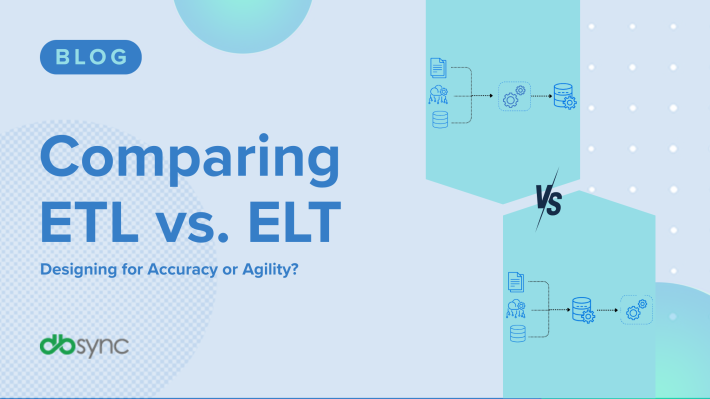
ETL, or extract, transform, load, takes data from a source, changes it into the required format, and loads it into a target system. It works well when information needs significant cleanup before use. ELT reverses the final two steps: the tool extracts and loads the data first, then the destination system performs the transformation. This approach is common in cloud data warehouses that can process large data volumes.
API integration connects applications through their application programming interfaces. It allows one system to request data or trigger functions in another, making it useful for connecting cloud and on-premises applications. Informatica’s explanation of API integration describes how APIs help separate systems communicate.
Data replication creates and maintains copies of data across systems or locations. It can run on a schedule or continuously. Replication is often a better fit than traditional ETL when operational systems need current information with minimal delay.
Understand CDC and Database Replication
Change data capture, or CDC, tracks inserts, updates, and deletions in a source system. Instead of repeatedly moving an entire database, a CDC process sends only the records that changed since the previous transfer. This can reduce processing demands, shorten sync times, and limit the amount of data moving across a network. IBM explains how CDC captures and transfers changes without reloading complete datasets.
Database replication applies those changes to another database, application, warehouse, or storage location. It can support reporting, disaster recovery, application modernization, and operational workflows. Successful replication requires careful planning around record keys, schema changes, transaction order, and deleted records.
Look for tools that show replication status, log failed changes, and allow teams to retry or reconcile records. DBSync’s CDC and database replication solution supports organizations that need continuous data movement between databases and business systems.
Use Bidirectional Data Synchronization
Bidirectional synchronization allows two connected systems to send and receive updates. Rather than treating one application as the permanent source, the integration keeps records aligned as changes occur in either system. This can help when sales teams update customer information in Salesforce while finance teams update billing details in QuickBooks.
A reliable two-way sync needs clear rules. Decide which fields each system can update, how conflicting changes will be handled, and how the integration identifies the same record in both locations. Without these rules, a workflow can overwrite accurate information or create duplicate records. Stibo Systems’ explanation of bidirectional synchronization highlights its role in maintaining consistency across platforms.
Teams should also define how the integration handles deleted records, failed updates, and temporary outages. Field mapping, conflict handling, audit history, and alerts make these decisions easier to manage. DBSync supports SaaS replication across business applications, including use cases that require updates in both directions.
Compare Batch and Real-Time Integration
Batch integration moves data at scheduled intervals, such as every hour, overnight, or once a day. It suits use cases where information does not need to be current every minute, including routine reporting, payroll processing, and scheduled analytics. Batch jobs can also be easier to plan because they run during defined processing windows.
Real-time integration moves data continuously or shortly after a change occurs. It is a better fit for order processing, inventory updates, customer service, fraud alerts, and workflows that depend on current information. Skyvia’s comparison of batch and real-time integration explains why continuous processing suits operational systems, while batch processing works well for reporting and routine analysis.
Real-time does not always mean instantaneous. API limits, network delays, processing queues, and source-system performance can affect delivery time. Before choosing a method, define an acceptable freshness target. If data can be an hour old, a scheduled workflow may be enough. If a change must reach another system within seconds or minutes, consider CDC or event-driven replication.
Choose Managed, Self-Hosted, or Open-Source Tools
Managed integration tools run in a vendor’s cloud environment. The provider typically handles infrastructure, upgrades, availability, and part of the monitoring work. This can reduce setup time and maintenance, allowing your team to focus on workflows instead of servers. Review how the vendor handles data residency, access controls, backups, and support before making a decision.
Self-hosted tools run in your own cloud account, data center, or hybrid environment. They can provide more control over network access, deployment, and sensitive data, but your team remains responsible for patching, scaling, monitoring, and recovery. This model may suit organizations with strict infrastructure requirements or an established platform engineering team.
Open-source tools provide access to source code and can support custom connectors or specialized workflows. They may reduce licensing costs, but implementation and maintenance still require time and technical expertise. IBM recommends evaluating integration models according to data needs and deployment requirements, rather than choosing a tool solely because it is popular.
When comparing options, calculate the full cost of ownership. Include infrastructure, engineering time, connector development, support, upgrades, security reviews, and incident response. A managed platform such as DBSync Cloud Workflow can suit teams that need configurable integrations without operating the underlying infrastructure themselves.
Which Data Integration Use Cases Should Organizations Prioritize?
The best data integration use case depends on where disconnected systems create the most friction. A sales team may need a complete view of customer activity, while finance needs accurate order and payment data from the same customer. Operations may need current inventory information, and analysts may need clean, consistent data in a warehouse.
Data integration tools combine information from multiple sources and make it available for business operations, reporting, and analysis. Informatica explains how integration tools create a unified view of data, helping teams make decisions without switching between disconnected applications or reconciling spreadsheets by hand.
Start with workflows that affect revenue, customer service, financial accuracy, or regulatory reporting. Identify which systems need to share data, how often information should move, and whether the flow should run in one direction or both. Then define the data each application should own and the rules for handling errors, duplicates, and conflicting updates.
Prioritizing these details helps your team focus on practical outcomes instead of connecting systems simply because an integration is possible. The following use cases are often strong starting points for organizations working to improve data flow and reduce manual tasks.
Integrate Customer Data Across Business Applications
Customer information often lives in several applications at once. A sales representative may update a contact in Salesforce, the finance team may maintain billing details in QuickBooks, and customer service may record interactions in another platform. Without integration, each team sees only part of the customer relationship.
A data integration tool can connect these records and create a more complete customer profile. Teams can share contact details, account status, orders, invoices, and support activity across approved systems. This reduces duplicate data entry and gives employees more reliable information when they sell, bill, or provide support.
The goal is not to copy every field everywhere. Define which system owns each type of data, then synchronize only the information other applications need. This approach improves consistency, limits unnecessary data movement, and makes it easier to protect sensitive customer information.
Connect Salesforce, QuickBooks, Microsoft D365, and Shopify
Many organizations depend on a mix of CRM, accounting, ERP, and ecommerce applications. Salesforce may manage opportunities, QuickBooks may store invoices, Microsoft D365 may support finance or operations, and Shopify may handle online orders. Connecting these platforms helps teams keep commercial and financial processes aligned.
For example, a completed Shopify order could create or update a customer and invoice in QuickBooks. A Salesforce opportunity could pass account details to Microsoft D365, while payment status could return to the CRM. DBSync provides Salesforce integration workflows and QuickBooks integration for organizations that need to connect sales and finance data.
Before building a connection, identify shared records, field mappings, and ownership rules. Check how each system handles duplicate customers, tax details, product codes, refunds, and updates made in both applications.
Synchronize SaaS Platforms and Databases in Real Time
Batch integration may be enough for a daily report, but operational teams often need current information throughout the day. Real-time synchronization continuously moves changes between systems, making it useful for order processing, alerts, inventory updates, customer service, and other time-sensitive workflows.
Change data capture, or CDC, identifies inserts, updates, and deletes in a database and sends those changes to another destination. API-based workflows can perform a similar function across SaaS applications. The best method depends on the source system, its available interfaces, and the required level of freshness.
DBSync’s SaaS Replication solution supports connections between business applications, while its CDC and database replication tools support ongoing data movement across databases. Set clear latency expectations before implementation, since real time may mean seconds for one workflow and a few minutes for another.
Modernize Legacy Systems and Migrate Data
Older systems can contain essential customer, financial, or operational records, even when their interfaces and export options are limited. Replacing them immediately may be expensive and risky, but leaving them disconnected creates manual work and makes it harder to use current applications.
Integration tools can provide a bridge between legacy databases, files, APIs, and newer cloud platforms. During a migration, they can extract records, transform outdated formats, map fields to the new system, and validate the results. After migration, temporary synchronization can keep both systems aligned during the transition.
Start by cataloging legacy data and identifying what must be retained, transformed, archived, or discarded. IBM highlights the difficulty of moving data from systems that do not easily export modern formats in its overview of data integration challenges. Test small data sets first, and preserve an audit trail for every migrated record.
Support Data Warehousing, BI, and Analytics
Analytics depends on accessible, accurate, and consistently structured data. When sales, finance, product, and customer information remains in separate applications, analysts may spend more time collecting and cleaning records than interpreting them.
Integration tools can extract data from operational systems, transform it into consistent formats, and load it into a warehouse or lakehouse. They can also refresh datasets on a schedule or move changes as they occur. This gives reporting teams a dependable source for revenue analysis, customer trends, inventory planning, and performance measurement.
For warehouse projects, decide whether the target needs raw data, transformed data, or both. IBM describes integration software as a way to move, combine, and transform data for analysis, operations, business intelligence, and artificial intelligence. Document source definitions carefully so metrics such as revenue, customer count, and order volume mean the same thing across reports.
Automate APIs and Operational Workflows
API integration allows one application to use data or functions from another. It can automate processes such as creating a customer record, updating an order, sending a notification, or triggering an approval after a specific event.
A workflow might begin when a new Shopify order arrives. The integration can check inventory, create an invoice in QuickBooks, update a Salesforce account, and notify a fulfillment team. These steps follow defined rules instead of relying on someone to copy information between systems.
Use Cloud Workflow when the integration needs conditional logic, scheduled actions, or several connected steps. Before automating a process, list its triggers, actions, required fields, and failure paths. Include retries and alerts so an API timeout or rejected record does not stop the entire workflow without notice.
Improve Data Quality, Governance, and Consistency
Moving inaccurate data faster does not solve a data quality problem. Integration projects should address duplicate records, missing fields, inconsistent naming, invalid values, and unclear ownership before those issues spread across applications.
Set rules for how data should be formatted and which system serves as the source of truth. For example, one system may own customer addresses, while another owns payment status. Validation rules can reject incomplete records, standardize values, and flag conflicts for review instead of silently overwriting information.
Governance also includes access controls, audit logs, retention rules, and documentation. Stibo Systems identifies data quality checks and completeness metrics as important measures for reliable data management. Track synchronization errors, duplicate rates, rejected records, and field completeness to see whether the integration is producing dependable results.
Manage Hybrid and Multicloud Data Flows
Many organizations run systems across public clouds, private infrastructure, and on-premises environments. A database may remain in a local data center, while CRM, ecommerce, finance, and analytics tools run in the cloud. Integration must connect these environments without creating unnecessary exposure or operational complexity.
A hybrid integration design should account for network access, firewalls, authentication, data residency, latency, and system availability. It may use APIs for SaaS applications, database replication for operational stores, and secure file transfer for systems with limited connectivity.
DBSync’s Replication Ops Platform supports data flows across different systems and environments, including real-time bidirectional synchronization. Map each data flow before implementation, then decide where processing should occur and how failures will be recovered. A clear operating model helps teams manage cloud and on-premises connections as one coordinated architecture.
Which Data Integration Tools Fit Each Use Case?
The right data integration tool depends on what you need to connect, where the data must go, and how quickly changes need to appear in the destination system. A marketing team syncing Salesforce contacts may have different requirements from a data engineering team loading millions of records into a warehouse.
Start by documenting the data flow. List each source and destination, the data volume, sync direction, required latency, transformations, and error-handling needs. Then assess practical factors such as connector coverage, security, deployment options, monitoring, and the technical skills available on your team.
Batch ETL may work well for scheduled reports, while change data capture (CDC) is better when downstream systems need updates soon after a database record changes. A one-way pipeline can support analytics, but operational processes may require bidirectional synchronization so changes can move between applications.
It also helps to group tools by their primary role:
- Operational integration: Keeps SaaS platforms, databases, and business applications synchronized.
- Data movement: Loads information into warehouses, data lakes, or analytics platforms.
- Workflow automation: Uses APIs, triggers, and transformations to coordinate business processes.
- Enterprise data management: Adds governance, quality controls, lineage, and compliance features.
- Custom integration: Gives engineering teams control over connectors, code, and deployment.
The tools below serve these needs in different ways. Compare them against your actual data flow rather than choosing based only on connector count or brand recognition.
Compare Data Integration Tools at a Glance
Each platform has a different center of gravity. DBSync focuses on operational synchronization across SaaS applications, databases, and business systems. Fivetran is widely used for managed ELT, particularly when organizations need to load source data into a warehouse or lake with limited pipeline maintenance.
Airbyte is a practical option for teams that need open-source flexibility or want to build and modify connectors. Informatica supports broader enterprise integration, governance, metadata, and data quality programs. Talend combines ETL with transformation and data quality capabilities, while Microsoft Azure Data Factory is well suited to cloud and hybrid orchestration within Microsoft environments.
These tools can overlap, but they are not interchangeable. A warehouse ingestion platform may not support the bidirectional, low-latency workflows required for finance, sales, or order management. Likewise, an enterprise data management suite may offer more functionality than a small team needs for a single application connection.
DBSync’s Replication Ops Platform supports data replication and monitoring, while Cloud Workflow helps teams coordinate processes across connected systems. When comparing platforms, ask whether the primary goal is analytical data movement, operational synchronization, workflow automation, or a combination of these needs.
DBSync: Sync SaaS Platforms and Databases in Real Time
DBSync fits organizations that need consistent operational data across business applications, SaaS platforms, and databases. Rather than treating integration as a one-time export, it supports ongoing synchronization, including real-time and bidirectional flows where the use case requires them.
This approach can support workflows such as connecting Salesforce with finance systems, synchronizing QuickBooks data with other applications, or keeping ecommerce and back-office records aligned. DBSync provides dedicated Salesforce integration and QuickBooks integration options for common business processes.
The platform also supports CDC and database replication, which can capture changes in supported databases and send them to other destinations. This can reduce manual exports, maintain fresher records, and limit discrepancies caused by duplicate data entry.
Choose DBSync when operational consistency across systems is the priority, especially when data must move in both directions or with low latency. It may be less suitable when the only requirement is a simple, scheduled warehouse load.
Fivetran: Run Managed ELT, CDC, and Warehouse Pipelines
Fivetran is best known for managed data movement into warehouses, lakes, and other analytical destinations. Its service reduces the infrastructure and pipeline maintenance handled by internal data teams. The Fivetran documentation describes its connectors, replication features, and approach to managing schema changes.
The platform fits teams that need dependable access to data from CRM, finance, marketing, product, or operational systems. Fivetran typically extracts source data and loads it into a destination, where transformations can take place using an ELT approach. This model works well for organizations with a modern warehouse and an established analytics process.
Managed infrastructure can save engineering time, but it does not remove the need for data ownership. Teams still need to define sync frequency, review permissions, validate data models, and monitor usage-based costs. They should also confirm that each connector supports the required objects, APIs, history, and change behavior.
Choose Fivetran for managed ELT, warehouse ingestion, and teams that prefer configuration over building pipelines from scratch. For bidirectional synchronization between business applications, a platform focused on operational replication may be a closer fit.
Airbyte: Build Open-Source Connectors and Custom Pipelines
Airbyte is designed for teams that want flexibility over their data integration architecture. It provides prebuilt connectors, supports custom connector development, and offers deployment options that give engineering teams more control over infrastructure and data handling. Its documentation covers connections, connectors, and deployment models.
This flexibility can help when a required source is unusual, an existing connector needs modification, or an organization wants more control than a fully managed service provides. Engineering teams can adapt pipelines to internal systems, specialized APIs, and custom data models.
That control comes with responsibility. Teams may need to manage connector upgrades, authentication changes, schema differences, retries, logs, and deployment environments. Total cost is shaped not only by the platform plan, but also by the time required to maintain pipelines and respond to source-system changes.
Choose Airbyte when custom connectors, open-source options, or deployment control are central requirements. It often fits data teams building warehouse or lake pipelines. Teams that need managed, bidirectional application synchronization should also assess workflow-focused platforms.
Informatica: Manage Enterprise Integration, Governance, and Scale
Informatica serves organizations with complex integration, data quality, governance, and compliance requirements. Its platform covers application integration, data movement, metadata management, and data quality processes. The company outlines these capabilities through its cloud data management platform.
This breadth is useful for large organizations that need shared controls across departments, regions, and data environments. Informatica can support programs where data must be classified, validated, monitored, and governed as it moves between applications, databases, warehouses, and other destinations.
The tradeoff is implementation complexity. Enterprise platforms often require architecture planning, role design, integration work, and dedicated administration. A smaller team with a limited integration need may not need the full feature set. Buyers should clarify which modules, connectors, environments, and support levels are included in the proposed package.
Choose Informatica when governance, lineage, data quality, and enterprise scale matter as much as data movement. It is a strong candidate for regulated organizations and complex data estates. For a focused connection between a few SaaS applications, a simpler platform may be faster to implement.
Talend: Combine ETL, Data Quality, and Flexible Connectors
Talend combines data integration with data quality and related management capabilities. It supports ETL and data movement across varied sources and destinations, while providing tools for transformations, validation, and data preparation. Its data integration platform explains how teams can connect and transform data across environments.
Talend fits organizations that need more than a basic connector. A team might extract customer records, standardize addresses, validate required fields, remove duplicates, and load the results into a warehouse or operational system. Visual development features can also make pipeline logic easier for technical and data-focused teams to review.
Implementation effort depends on the environment and the complexity of the transformation logic. Teams should assess who will maintain jobs, how the platform handles scheduling and testing, and whether production monitoring and version control fit existing processes.
Choose Talend when data quality and transformation are core parts of the integration project. It can work well for governed ETL programs and mixed data environments. For continuous replication between operational systems, compare its capabilities with a platform built for real-time application and database synchronization.
Microsoft Azure Data Factory: Run Cloud ETL and Hybrid Orchestration
Microsoft Azure Data Factory is a cloud service for creating workflows that move and transform data. It connects with Azure services and supports data movement across cloud and on-premises environments through integration runtimes. Microsoft’s Azure Data Factory documentation covers pipelines, linked services, activities, monitoring, and deployment.
The platform is a practical choice for organizations already using Azure, Microsoft Fabric, Azure Synapse, SQL Server, or other Microsoft services. Teams can build scheduled pipelines, coordinate transformations, call processes, and manage dependencies within a broader Azure architecture.
Azure Data Factory is particularly useful for batch processing and hybrid orchestration. Teams should verify whether its native activities and connectors meet their latency and change-tracking requirements. Some real-time or application-specific workflows may require additional Azure services, custom code, or another integration platform.
Choose Azure Data Factory when cloud ETL, scheduled processing, and Microsoft ecosystem alignment are priorities. Costs and operating effort depend on pipeline runs, data movement, integration runtime configuration, and related Azure services.
Match Each Tool to the Right Use Case
Use the business requirement as the first filter. If the goal is to keep Salesforce, QuickBooks, Shopify, Microsoft D365, and databases aligned as transactions change, DBSync is a strong candidate because it focuses on replication, workflow automation, and operational synchronization.
If the goal is to load data into a warehouse with limited pipeline administration, consider Fivetran. If the team needs custom connectors, open-source flexibility, or greater deployment control, Airbyte may be a better fit. For broad governance and enterprise data management, evaluate Informatica. For ETL combined with data quality and transformation, Talend is worth considering. For Azure-centered cloud and hybrid orchestration, Azure Data Factory may align most closely with the existing environment.
Before choosing a finalist, test it against representative data flows. Include:
- A normal create or update event
- A deleted or incomplete record
- A schema or field change
- A duplicate or conflicting record
- An API limit or temporary connection failure
- A failed transformation or destination write
- A retry, replay, and recovery scenario
Measure latency, completeness, error visibility, setup time, and ongoing maintenance. Confirm whether the tool supports one-way or bidirectional synchronization, the required authentication method, and the destinations your organization may add later. The best fit is the platform that supports the required data flow and operating model without adding unnecessary complexity.
How Do the Best Data Integration Tools Compare?
The best data integration tool depends on what you need to connect, how quickly data must move, and who will manage the workflows. A platform built for warehouse analytics may not be the right choice for synchronizing customer and order data between Salesforce, QuickBooks, Shopify, and Microsoft D365.
Start by reviewing the complete data flow. Integration tools extract information from one or more sources, transform it into a consistent format, and load it into a warehouse, reporting system, database, or business application. Leading platforms also automate workflows, monitor activity, and help teams recover from failed jobs. IBM’s overview of data integration tools explains how these capabilities work together.
Do not compare platforms based only on their connector count. Review data freshness, transformation features, error handling, security controls, scalability, and the technical skills required to maintain each workflow. A platform may support hundreds of applications but still fall short if it cannot handle custom fields, bidirectional synchronization, or the schema rules your systems require.
Use the following criteria to compare tools consistently:
Compare Extraction, Transformation, Loading, and Workflow Automation
Extraction collects data from a source, such as a CRM, accounting platform, database, file, or API. Transformation prepares that information for its destination by changing field formats, combining records, filtering values, or applying business rules. Loading then sends the prepared data to a warehouse, application, or database.
Traditional ETL tools complete these steps before loading data into the target. ELT tools load raw data first and transform it within the destination system. The right approach depends on where you want transformations to occur and which system provides the necessary processing capacity. Informatica’s explanation of ETL and ELT offers useful context when comparing these methods.
Review workflow automation, too. Strong platforms can trigger actions when records change, schedule recurring jobs, apply conditions, and pass data through several steps. DBSync’s Cloud Workflow platform connects business applications through automated flows, which can reduce repetitive data entry and manual handoffs.
Review SaaS, Database, File, and API Connectors
Connector coverage determines which systems a platform can access without custom development. List your actual sources and destinations first, then confirm whether the tool offers native connections for each one. Common categories include SaaS applications, relational databases, cloud warehouses, APIs, SFTP servers, spreadsheets, and flat files.
A business may need to move customer data from Salesforce, invoice details from QuickBooks, product information from Shopify, and operational records from Microsoft D365. A connector should support more than basic authentication. Check its handling of custom fields, pagination, webhooks, attachments, deletes, updates, and API rate limits.
Review how connectors are maintained as well. SaaS providers regularly change APIs, authentication methods, and object structures. A managed connector can reduce the effort required to keep workflows working. DBSync offers dedicated options for Salesforce workflows and QuickBooks integrations, which can support teams working across CRM and finance systems.
Compare ETL, ELT, API, CDC, and Bidirectional Methods
ETL and ELT are commonly used for analytics, reporting, and centralized data storage. API integration exchanges information between applications through supported endpoints. Change data capture, or CDC, identifies inserts, updates, and deletes in a database, allowing a target system to receive changes without repeatedly copying every record.
Bidirectional synchronization sends updates in both directions, keeping corresponding records aligned across systems. This approach can help sales, finance, ecommerce, and operations teams work with consistent information. It also requires clear conflict rules, duplicate prevention, field ownership, and error handling.
Choose the method based on the business process rather than the label alone. A warehouse pipeline may suit ELT, while an order workflow may need API calls and near real-time updates. For database replication and CDC requirements, DBSync’s CDC and database replication solution moves changes between connected systems while supporting continuous data flow.
Match Real-Time Processing and Batch Jobs to Data Freshness
Batch integration moves data on a schedule. It may run hourly, overnight, or at another interval that suits reporting and routine operations. Batch jobs are often easier to manage and can be cost-effective when information does not need to remain current throughout the day.
Real-time integration moves changes continuously or with minimal delay. It suits workflows where outdated information can cause operational problems, such as sending a new lead to a CRM, syncing inventory between an ecommerce store and an ERP, or updating payment status in an accounting system.
Ask how much delay each process can tolerate. A daily sales report may need only a nightly job, while an order fulfillment workflow may require updates within seconds or minutes. Check whether the platform supports both approaches, since most organizations combine analytical and operational requirements. DBSync’s Replication Ops Platform supports real-time synchronization across connected applications and databases.
Manage Data Mapping, Transformation, Quality, and Schemas
Data rarely matches perfectly between systems. One application may store a customer’s full name in one field, while another separates first and last names. Date formats, currency codes, status values, product identifiers, and address structures can differ as well.
Look for visual mapping tools, reusable transformations, validation rules, and conditional logic. Useful features include standardizing values, removing duplicates, enriching records, converting data types, and rejecting incomplete records before they reach the destination. IBM describes data transformation as including mapping, cleansing, quality checks, and enrichment.
Schema management matters just as much. Applications can add, rename, or remove fields, and those changes may interrupt a workflow. The tool should alert you to schema changes, document mappings, and provide a controlled way to update integrations. For bidirectional synchronization, define which system owns each field and how the platform should handle conflicting edits.
Monitor, Report, Orchestrate, and Recover From Errors
A production integration needs more than a successful initial setup. Teams should be able to see whether jobs are running, which records moved, what failed, and why. Centralized dashboards make it easier to monitor multiple workflows without checking every application separately.
Prioritize detailed logs, run histories, audit trails, alerts, and data lineage. The platform should show the source record, transformation steps, destination result, and error message. These details reduce troubleshooting time and help teams confirm that data arrived completely.
Recovery features matter just as much. Look for automatic retries, failure queues, partial reruns, rollback options, and the ability to replay a specific record without repeating an entire job. Informatica highlights centralized monitoring, reporting, auditing, and lineage as important controls for managing complex data flows. Workflow dependencies and scheduling controls can also help teams coordinate processes across several applications.
Secure Data With Governance, Permissions, and Encryption
Integration tools often handle customer details, financial records, employee information, and other sensitive data. Security should be part of the initial comparison, not an item reviewed after implementation.
Check whether the platform supports encryption during transfer and storage, secure authentication, role-based permissions, single sign-on, and access logs. You should also be able to control who can create, edit, run, or view a workflow. IBM identifies encryption, access controls, authentication, and authorization as key data integration capabilities.
Governance features help organizations control how data is used and changed. Look for audit trails, environment separation, credential management, retention settings, and support for relevant compliance requirements. Ask where data is processed, which subprocessors are involved, and how long logs are retained.
Avoid broad access simply because it makes setup easier. Use separate credentials for development and production, limit permissions to the required systems, and review access regularly. A secure integration should make appropriate behavior easy to enforce and verify.
Scale Across Data Volume, Throughput, and Environments
A tool may perform well with a few hundred records but struggle as transaction volume grows. Compare how each platform handles large datasets, frequent updates, concurrent workflows, and sudden changes in activity. Review throughput limits, API quotas, record processing speeds, and options for parallel execution.
Scalability also includes deployment environments. Your organization may use cloud applications alongside on-premises databases, private networks, or multiple cloud providers. Confirm that the tool can connect to each environment securely and maintain consistent performance across them.
Ask how the platform handles growth without requiring a complete redesign. Can you add workflows, environments, connectors, and users without creating separate monitoring processes? Can it replicate selected tables or objects instead of copying entire databases? Calibo recommends evaluating whether a solution can handle growing data volumes and increasingly complex integrations.
Measure performance using your expected volume and frequency. A controlled test with representative data will tell you more than a generic throughput claim.
Review Strengths Reported by Users and Experts
Vendor documentation explains what a platform can do, but customer reviews and independent comparisons often show how it performs in practice. Look for feedback about setup time, connector reliability, documentation, support quality, monitoring, and the effort required to maintain workflows.
Focus on reviews from organizations with similar data sources and team structures. A large enterprise may value governance and dedicated support, while a small operations team may prioritize a simple interface and quick deployment. Skyvia’s comparison of data integration tools notes that Fivetran is often selected for managed ingestion, low maintenance, and a broad connector library.
Treat ratings as a starting point rather than a final decision. Read positive and critical reviews, then look for recurring themes instead of isolated complaints. Ask vendors for references or case studies that match your use case. During a trial, test the workflows you plan to run, including updates, deletes, failed records, and schema changes.
Identify Limits in Cost, Complexity, and Connector Coverage
Every data integration platform has tradeoffs. A tool with advanced capabilities may require more technical knowledge, a longer implementation, or ongoing administration. A simpler platform may be easier to launch but lack the transformation, replication, or governance features you need later.
Connector limitations are another common concern. A connector may support a standard object but not custom fields, historical loads, deletes, attachments, or two-way updates. Confirm these details before selecting a platform. Check whether custom connectors require code, professional services, or a separate subscription.
Pricing can be difficult to compare when vendors charge by records, rows, tasks, pipelines, data volume, compute time, or connector type. Informatica notes that pricing can be complex and advanced features may have a steep learning curve. Estimate costs using your expected sync frequency and data volume, including development, support, monitoring, and maintenance.
A proof of concept can reveal limitations early. Test the hardest workflow first, rather than beginning with a simple connection that every platform can handle.
Match Tools to Teams and Data Architectures
The right tool should fit your architecture and the people responsible for maintaining it. Code-based platforms can work well for data engineering teams that use Python, SQL, version control, and custom deployment processes. They offer flexibility but may require more development and maintenance.
No-code and low-code platforms are often a better fit when RevOps, finance, marketing, analytics, or operations teams will manage workflows. These tools can shorten implementation time and reduce dependence on engineering resources. Skyvia’s comparison describes code-based tools as a fit for technical data teams and no-code tools as a fit for business teams maintaining pipelines.
Consider your broader data architecture as well. A warehouse-focused tool may suit centralized analytics, while an operational integration platform may be better for keeping applications synchronized. Some organizations need both. For example, a company could use a warehouse pipeline for historical reporting and DBSync’s SaaS Replication solution to keep customer, order, and financial data aligned across business applications.
Choose a platform your team can operate consistently, document clearly, and support as requirements change.
How Should You Compare Data Integration Pricing?
The lowest monthly subscription is rarely the lowest overall cost. Data integration pricing may depend on records processed, sync frequency, connectors, destinations, compute usage, storage, and the support your team needs. A tool that seems affordable during a small proof of concept can become more expensive as you add applications, increase refresh rates, or replicate larger databases.
Start by documenting each data flow you expect to run. List the source, destination, data volume, sync direction, and required frequency. Note whether each workflow needs batch processing, change data capture, or real-time synchronization. For example, connecting Salesforce and QuickBooks may involve fewer records than replicating an operational database, but frequent bidirectional updates can still affect usage. DBSync supports SaaS replication and CDC and database replication, so include both application activity and database changes in your estimate.
Also account for costs outside the software license. Implementation, data mapping, testing, monitoring, infrastructure, support, and maintenance can all affect your actual spend. Forecast the total cost at six and twelve months instead of comparing introductory prices alone. This gives your team a clearer view of how expenses may change as data volume, sync frequency, and the number of connected systems grow.
Compare Usage-Based Pricing by Records, Rows, or Volume
Many integration providers charge according to the amount of data processed. Pricing may be based on records, rows, monthly active rows, events, transactions, or total data volume. These terms are not interchangeable, so ask the vendor exactly what counts toward usage. One update may count as a single event, while another platform may charge for each changed row.
Estimate normal activity and peak periods. Include inserts, updates, deletes, retries, historical loads, and full refreshes. If an integration runs several times per hour, it may generate more billable activity than a daily job. Skyvia’s data integration comparison identifies records, rows, events, connectors, and infrastructure usage as common pricing factors.
Calculate expected monthly usage, then add an allowance for growth and reprocessing. Confirm whether failed jobs, duplicate attempts, and initial migrations count toward your plan. These details can make a substantial difference to your forecast.
Review Connector-Based and Pipeline-Based Pricing
Some providers price by connector, endpoint, pipeline, workflow, or workload. Connector-based pricing can be straightforward when you have only a few applications, but costs may rise as you add destinations or create separate connections for testing and production. Pipeline-based plans may charge for each active flow, even when multiple pipelines use the same source.
Check whether the plan includes the exact applications you need. A vendor may list a broad category such as CRM or accounting software while offering different capabilities for each product. Confirm support for Salesforce, QuickBooks, Microsoft D365, Shopify, and your specific database versions. Native, actively maintained connectors are generally preferable to custom APIs or beta connectors.
Review connector limits as well. Some plans restrict field selection, write operations, bidirectional synchronization, or the number of supported objects. DBSync offers Salesforce integration workflows and QuickBooks integration workflows, which can reduce the development work required to connect these systems.
Calculate Compute, Runtime, and Infrastructure Costs
A subscription may not include every resource required to run your integrations. Some tools charge for compute time, execution duration, warehouse storage, data transfer, or the infrastructure used for high-volume processing. These expenses matter most when workflows run frequently, transform large datasets, or perform complex joins and validations.
Ask how the provider measures runtime. Does a job continue consuming resources while waiting for an API response? Are failed jobs charged again when they retry? Does an initial data load use the same allowance as ongoing incremental updates? Answers to these questions can change your expected cost.
Account for infrastructure your organization provides, too. A self-hosted deployment may require virtual machines, databases, backups, network configuration, and monitoring. A cloud service may include these resources while charging more as workloads grow. A cloud workflow platform can simplify orchestration, but confirm the execution, storage, and transfer limits included in your plan.
Compare Subscription Tiers, Free Plans, and Enterprise Quotes
Free plans and entry-level tiers can help you test a product, but they often limit records, connectors, users, refresh frequency, workflow runs, or support. Map your requirements against each plan’s limits before choosing one. A plan that supports a small integration may not cover production, staging, and development environments.
Enterprise pricing requires the same attention to detail. Ask what the quote includes, such as implementation assistance, premium support, service-level commitments, extra environments, security reviews, and custom connectors. Request pricing based on your expected volume rather than a standard package so you can compare vendors consistently.
Ask for estimates at several usage levels, including current volume, projected six-month volume, and projected twelve-month volume. Include the cost of adding another source, increasing sync frequency, or supporting a second business unit. A clear pricing model should show how each change affects your bill.
Compare Managed and Self-Hosted Costs
Managed integration software typically includes hosted infrastructure, product updates, and some operational support. Your team may spend less time maintaining servers and applying upgrades, although the subscription may cost more. Confirm what the provider manages and what remains your responsibility, especially credentials, network access, monitoring, and data recovery.
Self-hosted and open-source tools may reduce license costs, but they still require technical ownership. Your organization may need to provision infrastructure, apply security patches, monitor jobs, manage backups, and troubleshoot connector failures. Those tasks represent labor costs even when the software itself is free.
Consider the skills available on the team responsible for the platform. Self-hosting can make sense when you already have dependable infrastructure and integration expertise. A managed option may be more practical when your team needs a supported service for replication operations across several applications and databases.
Include Implementation, Support, and Maintenance Costs
Implementation work may include source analysis, authentication, data mapping, transformation rules, duplicate handling, testing, cutover, and documentation. Simple integrations can be configured quickly, while complex bidirectional workflows may require extensive testing to prevent conflicting updates or incomplete records.
Estimate vendor and internal labor separately. Ask whether onboarding services are included, billed separately, or required for certain plans. Clarify the cost of custom development, premium support, training, and service-level agreements. If your team handles implementation, assign an hourly estimate to the work instead of treating it as free.
Maintenance is another recurring cost. APIs change, credentials expire, schemas evolve, and business rules need updates. Compare how vendors announce connector changes and assist with failures. Monitoring, retries, logs, and reusable workflow controls can reduce the manual attention required after launch.
Forecast Total Costs at Six and Twelve Months
Build a forecast with at least three scenarios: expected usage, higher-than-expected growth, and a temporary peak caused by migration or seasonal demand. Include subscription fees, usage charges, infrastructure, implementation, support, maintenance, and one-time migration costs.
For the six-month estimate, focus on launch expenses and early usage patterns. Include development environments, testing, historical loads, and staff time. For the twelve-month estimate, add expected data growth, new connectors, additional workflows, renewal pricing, and changes in sync frequency.
Ask vendors to confirm whether promotional pricing expires and whether annual plans renew at the standard rate. Check whether unused usage rolls over, overages occur automatically, and capacity can be reduced after a project ends. A forecast based on these details is more useful than a comparison of advertised starting prices.
Estimate Long-Term Costs by Volume and Sync Frequency
Data volume and sync frequency are two major drivers of long-term integration costs. A daily batch job may be sufficient when hourly updates are unnecessary. However, operational systems that depend on current customer, order, inventory, or financial data may require more frequent synchronization.
Separate data that needs fast updates from data that can move less often. Order status and inventory may need frequent processing, while historical records could be loaded once and updated in batches. This approach keeps usage aligned with business value instead of applying the highest frequency to every workflow.
Model growth over one to three years if the integration will support core operations. Include new customers, transactions, records, business units, and connected applications. Estimate how full loads, retries, and schema changes affect usage. Platforms that support incremental replication and change data capture can help limit unnecessary processing by focusing on data that has changed.
How Should You Evaluate Technical Requirements and Risks?
A data integration tool can look impressive in a product demo and still fail when it connects to your actual systems. A reliable evaluation starts with the data flow itself: where information originates, where it needs to go, how often it should move, and what must happen when a record changes or a connection fails.
List every source and destination, including SaaS applications, databases, spreadsheets, file systems, APIs, and legacy platforms. For each flow, document the fields involved, expected data volume, synchronization direction, timing requirements, security rules, and business owner. This creates a practical set of requirements instead of a broad feature checklist.
Compatibility is only one part of the review. You also need to assess access permissions, deployment requirements, data quality, monitoring, recovery, and technical ownership. DBSync supports SaaS replication, database replication, and workflow automation, helping organizations connect operational systems without managing separate tools for every data flow.
Use a proof of concept to test the highest-risk connection before committing. Include real field mappings, representative data volumes, failure scenarios, and at least one schema change. Record the results, including processing speed, error handling, data accuracy, and recovery steps. This gives your team evidence of technical fit before the integration reaches production.
Confirm Source and Destination Compatibility
Start by confirming that the tool supports the exact applications and versions your organization uses. “Salesforce” or “QuickBooks” may appear on a connector list, but the details matter. Check whether the connector supports your edition, API version, objects, tables, custom fields, and required read and write operations.
Prefer native, actively maintained connectors over fragile custom workarounds. A native connector often handles authentication, pagination, rate limits, and platform-specific data behavior more reliably than a basic API connection. It can also reduce maintenance when an application changes.
Review both sides of the data flow. A tool may read from Salesforce but lack the ability to write updates back. It may connect to QuickBooks Online but not QuickBooks Desktop. DBSync offers dedicated Salesforce integration workflows and QuickBooks integration options, making it easier to compare connector capabilities with your requirements.
Check API Limits, Authentication, Permissions, and Connector Versions
An integration can fail even when the connector technically exists. APIs may limit requests by time period, user, organization, or endpoint. High-volume synchronization can consume those limits quickly, causing delays or incomplete updates. Ask vendors how their platforms handle pagination, throttling, retries, and partial failures.
Review authentication methods as well. Your requirements may include OAuth, service accounts, API keys, certificates, single sign-on, or multifactor authentication. Confirm whether credentials are stored securely and can be rotated without rebuilding the integration.
Permissions deserve the same attention. Apply the least access required for each workflow, then verify that the integration account can read and write every necessary object or table. Also check connector release notes and version support. A connector that depends on an outdated API may become a risk after the application vendor makes changes. Look for platforms that combine visual development with code options for specialized logic, as described in Informatica’s data integration overview.
Verify Database Access, Network Settings, and CDC Requirements
Database integrations require more than a hostname and password. Confirm the supported database engines, versions, drivers, ports, encryption settings, and authentication methods. Your security team may require a private network connection, IP allowlisting, a VPN, or a specific deployment location before an integration can access production data.
Change data capture, or CDC, adds another layer of technical requirements. Determine whether the database supports transaction logs, change tracking, triggers, or another CDC method. Then check whether the integration tool captures inserts, updates, and deletes accurately, including changes made during outages.
Ask how the tool handles initial loads and ongoing replication. A reliable process should establish a baseline, record a checkpoint, and resume without duplicating or skipping changes. DBSync’s CDC and database replication capabilities support organizations that need continuous data movement across databases and business applications.
Define Data Formats, Mappings, Transformations, and Schema Changes
Before testing a tool, create a field-level mapping for each important workflow. Document the source field, destination field, data type, transformation rule, required status, and treatment of missing or invalid values. This exposes problems that a simple connector test may hide.
Pay close attention to differences in naming, formats, codes, and data types. One system may store a customer status as “Active,” while another expects a numeric code. Dates may use different time zones, and currency fields may have different precision. Decide where transformations should occur and how your team will maintain them.
Plan for schema changes, too. A new required field, renamed column, or removed API property can interrupt a workflow. Ask whether the platform detects changes, displays clear errors, preserves mappings, and supports versioned updates. IBM’s explanation of data mapping across different schemas provides useful context for this part of the assessment.
Plan for Latency, Throughput, Volume, and Scale
Define how fresh the data needs to be before choosing an integration pattern. A nightly financial export may work well as a batch job, while inventory, order, or customer updates may require near-real-time synchronization. Avoid paying for continuous processing when a scheduled workflow meets the business need, but do not use batch processing where stale data creates operational problems.
Estimate current and future volumes. Include the number of records, average record size, peak transaction periods, update frequency, and number of connected systems. Test beyond the average workload, especially if sales events, billing cycles, or imports create sudden spikes.
Measure both latency and throughput during the proof of concept. Track how long a record takes to reach its destination and how many records the system processes per minute or hour. IBM recommends matching a tool to business needs, including whether data must update in real time, in its data integration guidance.
Resolve Duplicate Records, Inconsistent Fields, and Legacy Data Issues
Data quality problems often appear before the integration does. Duplicate customers, inconsistent addresses, outdated account numbers, and incomplete records can produce unreliable results when systems begin exchanging information. Identify these issues during discovery instead of allowing them to spread across connected applications.
Set clear matching and conflict rules. An email address may identify a customer in one workflow, while an external account ID provides a safer match across systems. Decide which system owns each field and what should happen when both systems change the same record.
Legacy data needs separate treatment. Older systems may use unusual date formats, abbreviated codes, deleted records, or undocumented business rules. Run a sample migration, profile the data, and create exception queues for records that cannot be matched automatically. Common sources include databases, cloud services, APIs, files, business applications, and legacy systems, all of which Informatica discusses in its data integration reference.
Choose Cloud, On-Premises, Hybrid, or Multicloud Deployment
Deployment affects security, connectivity, cost, and maintenance. Cloud integration platforms can simplify access to SaaS applications and scale without requiring your team to manage servers. On-premises deployment may be necessary for regulated data, restricted networks, or systems that cannot expose services to the public internet.
A hybrid model can connect cloud applications with databases or applications inside a private network. Check whether the tool supports secure agents, private endpoints, VPN connections, firewall rules, and local processing. Also confirm where data is temporarily stored during transfers.
Multicloud environments create additional questions about regions, identity providers, network egress, and service dependencies. Ask whether the platform can manage workflows across cloud providers without sending data through an unnecessary location. Cloud platforms that connect cloud and on-premises applications are a common integration pattern, as IBM explains in its discussion of cloud-based integration tools.
Protect Sensitive Data With Security, Compliance, and Encryption
Identify the sensitive information that will move through each workflow. This may include customer details, payment information, employee records, financial data, or health-related information. Classify the data before selecting a tool, then define which users, services, and environments may access it.
Review encryption in transit and at rest, role-based access controls, authentication, audit logs, credential storage, and secrets management. Confirm whether the platform supports data masking or filtering for test environments. You should also understand how long logs and temporary files are retained and how they are deleted.
Compliance requirements may affect hosting regions, vendor contracts, incident reporting, and access records. Ask for relevant security documentation, audit reports, and details about subprocessors. Encryption, access controls, authentication, and authorization are among the capabilities Informatica identifies in its data integration resource.
Set Up Monitoring, Retries, Alerts, and Disaster Recovery
A workflow is not production-ready until your team can tell when it fails. Look for dashboards that show execution status, processing time, records handled, rejected data, and the last successful synchronization. Detailed logs should identify the affected workflow, record, field, and error without exposing unnecessary sensitive information.
Retries should be deliberate rather than unlimited. Temporary network failures may resolve after a short delay, while invalid data requires correction before another attempt. Confirm whether the tool supports backoff rules, checkpoints, replay, dead-letter queues, and manual reprocessing.
Define alert thresholds and delivery channels before launch. The right people should receive a notification when a workflow fails repeatedly, falls behind schedule, or exceeds an error threshold. Document recovery time and recovery point targets, then test restoration procedures. IBM identifies monitoring and observability as important capabilities for detecting pipeline failures and data problems.
Assign Technical Ownership and Vendor Support
Every integration should have a named owner, backup owner, and business contact. The technical owner maintains credentials, mappings, schedules, documentation, and error handling. The business contact confirms that the data remains accurate and that workflow changes reflect current processes.
Review the vendor’s support model before purchase. Check support hours, response targets, escalation paths, implementation assistance, documentation, training, and customer success services. A low license price may not be attractive if your team must spend weeks diagnosing connector issues.
Ask how the vendor manages product updates, connector changes, security notices, and breaking API changes. Determine whether support staff can access logs safely and whether you can export configuration and audit information. Low-code tools can help business teams contribute to workflows, but technical ownership still matters when integrations affect financial, customer, or operational systems.
Prevent Common Risks With Practical Mitigations
Use a risk register to connect each concern with a specific mitigation. API throttling may require scheduled batching, rate-limit controls, or a connector that supports incremental updates. Duplicate records may require a shared external ID, matching rules, and a review queue before records are written to the destination.
Other common risks include incomplete permissions, weak error visibility, schema changes, poor legacy data quality, unexpected volume, and unclear ownership. Reduce these risks with a staged rollout: begin with a limited dataset, validate results, run parallel processing where appropriate, and expand only after the workflow meets its accuracy and performance targets.
Keep rollback and recovery in the plan. Back up affected data, record the last successful checkpoint, and define how to reverse an incorrect update. Document every mapping, transformation, exception, and decision so another team member can maintain the workflow. Testing data quality, permissions, volume, and failure handling together helps address the practical challenges outlined in Informatica’s data integration overview before they become production incidents.
How Should You Choose a Data Integration Tool?
Choosing a data integration tool starts with the business problem, not the feature list. A platform that suits a data engineering team may be too complex for a sales operations team, while a simple connector tool may not support a large, regulated environment. The right fit depends on your data volume, source systems, freshness requirements, technical skills, budget, and willingness to manage infrastructure.
Begin by documenting how data moves through your organization. List every source, destination, data owner, business process, and required update frequency. For example, customer records may need to move from Salesforce to a reporting database, invoices may need to sync between QuickBooks and another finance system, or Shopify orders may need to flow into a warehouse and fulfillment workflow. Mapping these dependencies helps you identify the capabilities that matter most.
Also decide whether you need one-time migration, recurring batch jobs, continuous replication, API workflows, or several methods at once. A platform such as DBSync combines workflow automation with SaaS replication, database replication, and bidirectional synchronization. That combination can help organizations keep operational and analytical data aligned without maintaining several disconnected tools.
Define the Business Use Case and Data Flow
Write down the specific result you want the integration to produce. “Connect our applications” is too broad to guide a purchase. A more useful goal might be, “Keep customer and order information consistent between Shopify, Salesforce, and our reporting database without manual exports.”
Document where each record originates, where it needs to go, which fields require mapping, and what should happen when a record changes or fails validation. Include the employees who use the data every day. They can point out duplicate records, missing fields, and manual work that may not appear in a technical diagram.
Consider data volume and sensitivity as well. A small contact list may work with a scheduled workflow, while millions of database records may require change data capture, monitoring, and dedicated throughput. Your team’s skills matter, too. Engineers may value custom logic, while business teams may prefer visual configuration and managed connectors.
Match Data Freshness to Batch or Real-Time Needs
Not every integration needs to run continuously. Daily or hourly batch updates may be enough for historical reporting, payroll exports, or low-priority administrative data. Batch processing can also reduce API usage and make costs easier to forecast.
Other workflows depend on current information. Sales representatives may need new leads in Salesforce shortly after they enter a marketing system. Finance teams may need orders and payments synchronized with QuickBooks without waiting for an overnight job. These processes may require minute-level, near-real-time, or real-time updates.
Ask how much delay each workflow can tolerate, then check how the vendor defines “real time.” The term may describe frequent polling, event-based processing, or change data capture. If a database is involved, CDC and database replication can capture inserts, updates, and deletes as they occur, reducing the need to reload complete tables.
Choose One-Way or Bidirectional Synchronization
One-way integration is often the simplest approach. Data moves from a source to a destination, such as sending Salesforce opportunities to a warehouse for analysis. This model can reduce conflicts because one system remains the primary authority.
Bidirectional synchronization is useful when multiple applications need to update shared records. A customer’s contact details may change in Salesforce, while billing information changes in QuickBooks. A two-way workflow can keep both systems current, but it requires clear rules for field ownership, duplicate detection, and conflicting edits.
Before choosing a tool, identify the system of record for each important field. Decide whether the workflow should overwrite values, merge changes, reject conflicts, or send them for review. DBSync supports real-time bidirectional synchronization, which can help teams connect operational platforms while allowing each department to work in its preferred application.
Match Integration Methods to Technical Needs
Each integration method addresses a different problem. ETL extracts data, transforms it, and loads it into a destination, often for reporting or warehousing. ELT loads data first and transforms it in the target platform. API integration connects applications through exposed services, while replication copies changes between databases or systems.
Code-based tools can suit data engineers who need detailed control over SQL, Python, deployment, and custom logic. No-code and low-code tools may be a better fit when operations, finance, marketing, or analytics teams need to maintain workflows themselves.
Match the method to the project. Database projects may require CDC support, while business application projects may depend on SaaS connectors and workflow features. For complex data movement, confirm that the platform supports conditional logic, lookups, validation, transformations, and error routing without requiring custom code for every adjustment.
Verify Native Connectors and Future Expansion Options
Create a list of every application, database, file source, and destination you expect to connect. Confirm that the vendor supports the exact products and editions you use. A connector for one application version may not support the same authentication methods, objects, or API behavior as another.
Review supported objects, write capabilities, authentication options, sync direction, rate-limit handling, and known restrictions. Native, actively maintained connectors usually require less custom development than generic API connections. For example, companies comparing CRM and accounting workflows can review DBSync’s Salesforce integration and QuickBooks integration.
Consider future expansion, too. Your organization may add another database, business application, region, or cloud environment. Broad connector coverage, reusable workflows, and flexible deployment options can help prevent a second platform purchase as your data architecture grows.
Build a Data Integration Scorecard
A scorecard turns a subjective software search into a structured comparison. List the criteria that matter to your project, then assign each one a weight. Real-time processing may be critical for order synchronization, for example, while deployment simplicity may matter most to a small operations team.
Useful scorecard categories include:
- Supported sources and destinations
- Batch, real-time, CDC, and bidirectional capabilities
- Data volume, throughput, and update frequency
- Mapping, transformation, and data quality features
- Deployment and infrastructure requirements
- Security, governance, and compliance controls
- Monitoring, alerts, retries, and recovery
- Pricing and total cost of ownership
- Technical support and service levels
- Ease of use for workflow owners
Score each platform against the same requirements, using product documentation, demonstrations, trials, and customer references as evidence. Keep non-negotiable requirements separate. A tool should not pass because it performs well in several minor categories if it lacks a required connector or sync direction.
Compare Features, Pricing, Scale, and Total Cost
A low starting price does not always produce a low overall cost. Vendors may charge by records, rows, events, data volume, connectors, endpoints, active workflows, or compute usage. Estimate costs using expected sync frequency, record growth, and retention requirements, not only your current volume.
Include operational expenses in the calculation. These may cover implementation, custom development, cloud infrastructure, monitoring, support plans, maintenance, and troubleshooting. A self-hosted tool may have a lower license cost but require more engineering time. A managed service may cost more per month while reducing infrastructure work.
Compare features that affect your workload directly. Check whether the quoted plan includes scheduling, transformation, CDC, workflow branching, error handling, audit logs, role-based access, and environment management. DBSync’s Cloud Workflow can suit teams that need to automate processes across connected applications and data sources.
Assess Security, Governance, Support, and Service Levels
Integration tools may move customer, financial, employee, or operational information. Review how the vendor protects data in transit and at rest. Important controls can include encryption, authentication, authorization, role-based permissions, audit logs, secret management, and tenant isolation.
Ask where data is processed and stored, how long logs are retained, and whether administrators can restrict access by user, role, environment, or connection. If your organization has compliance requirements, request documentation about certifications, data processing practices, and regional hosting options. Security should be evaluated alongside functionality, not after a purchase decision.
Support quality also affects operational risk. Check support hours, response targets, escalation procedures, documentation, onboarding services, and implementation partners. A clearly defined service-level agreement can be important when an integration supports order processing, billing, customer service, or another business-critical workflow.
Test Technical Fit With a Controlled Proof of Concept
A proof of concept should test a real workflow, not merely confirm that two systems can connect. Use representative data that includes normal records, missing values, duplicates, updates, deletes, large payloads, and failed authentication. Run the test with the permissions and network conditions expected in production.
Measure practical outcomes. Check how long the initial load takes, how quickly changes appear, how accurately fields map, and what happens when a record fails. Test retries, alerts, duplicate handling, schema changes, and recovery after a connection is interrupted.
Set milestones before testing begins. These may include cleaning a sample, loading an agreed record set, validating record counts, confirming error handling, and demonstrating the workflow to its business owner. Intermediate deliverables make the evaluation easier to manage and provide evidence for the final decision.
Assign Ownership, Documentation, and Maintenance
Every integration needs a clear owner. Assign responsibility for the workflow, credentials, field mappings, alert response, vendor communication, and change approvals. Ownership may sit with IT, data engineering, operations, finance, or a shared team, but it should never be assumed.
Create documentation while building the integration. Record its purpose, systems involved, field mappings, sync direction, schedules, transformation rules, error procedures, dependencies, and access requirements. Include the system of record for each important field and explain how conflicts are resolved.
Plan for routine maintenance as well as emergencies. APIs change, permissions expire, schemas evolve, and business processes are updated. Schedule periodic reviews of workflow performance, connector versions, data quality, and access rights. A Replication Ops Platform can give teams a central way to manage and monitor replication workflows as their environment grows.
Measure Accuracy, Completeness, Speed, Errors, and Satisfaction
Define success metrics before deployment. Accuracy measures whether values arrive correctly. Completeness checks whether expected records and fields are present. Speed measures the time between a source change and the destination update. Error rates show how often records fail, while user satisfaction indicates whether the integration improves daily work.
Choose metrics that reflect the workflow’s business impact. For an order integration, track successful synchronization, average processing delay, duplicate order count, and time required to resolve failures. For a CRM workflow, measure record freshness, field accuracy, and the reduction in manual updates.
Review these measures regularly after launch. Set thresholds that trigger investigation, such as a sudden increase in rejected records or a delay beyond the agreed service target. Feedback from employees who rely on the data can reveal issues that technical monitoring misses, including confusing field behavior or missing information in a critical workflow.
Which Data Integration Trends Should Guide Your Decision?
Data integration now involves more than moving records between two systems. The right platform should help your organization keep operational data current, connect cloud and on-premises applications, protect sensitive information, and reduce the manual work involved in maintaining reliable workflows.
Begin by reviewing how your teams use data today and what they may need tomorrow. A nightly batch process may be enough for a weekly report, but it may not work for sales, inventory, finance, or customer service teams that depend on current information throughout the day. A platform built for one warehouse may also fall short when your environment includes Salesforce, QuickBooks, Microsoft D365, Shopify, and internal databases.
The most important trends point toward platforms that combine multiple integration methods, including real-time synchronization, Change Data Capture (CDC), API workflows, database replication, and analytics integration. IBM’s overview of data integration tools describes the growing need to connect cloud, on-premises, and hybrid environments while applying consistent governance across data pipelines.
When comparing providers, consider whether each platform supports your current architecture without restricting future choices. Look for flexible connectors, clear monitoring, practical security controls, and tools that technical and business teams can use responsibly.
Adopt Real-Time Integration, CDC, and Event-Driven Workflows
Real-time integration keeps connected systems informed as business events occur. A new Salesforce lead, a QuickBooks invoice update, or a Shopify order can trigger an action in another application without waiting for a scheduled file transfer.
CDC identifies inserts, updates, and deletes as they happen. Rather than reloading an entire database, it transfers only the records that changed. This can reduce processing demands and help systems maintain more current information. Skyvia’s guide to data integration tools identifies CDC as an increasingly common method for keeping connected systems accurate and timely.
Event-driven workflows connect data changes to business actions, such as updating inventory after a sale or notifying a customer after payment. Check whether a platform supports triggers, retries, monitoring, and detailed error reporting. DBSync’s CDC and database replication capabilities support ongoing synchronization between databases and applications.
Support Cloud-Native, Hybrid, and Multicloud Integration
Many organizations rely on a mix of cloud applications, on-premises databases, file systems, and legacy software. Your integration platform should connect these environments without requiring every system to use the same deployment model.
Cloud-native tools can simplify setup, maintenance, and scaling when applications already run in the cloud. However, financial, operational, or customer data may still reside on local infrastructure. Hybrid support lets teams connect those systems while keeping workloads where business, security, or regulatory requirements demand.
Multicloud support is useful when teams use services from multiple providers or want to limit dependence on one ecosystem. Review support for authentication, private networking, data transfer, and access controls. DBSync’s Replication Ops Platform connects SaaS applications, databases, and cloud environments for mixed technology stacks.
Strengthen Data Governance, Security, and Privacy
Integration creates additional risk when sensitive information moves between applications. Customer details, payment records, employee information, and financial data should remain protected during transfer and be stored only in approved locations.
Prioritize role-based access, encryption, audit logs, credential management, and field-level controls. Also review how a provider handles data residency, retention, backups, and access to production environments. These details are especially important for organizations with industry-specific or regional privacy obligations.
Governance should cover the complete data flow, from the original source to every destination. Teams need to know how information is transformed, which applications receive it, and who can change an integration. IBM explains how enterprise integration tools can apply privacy, residency, governance, and security rules across data pipelines. Monitoring and detailed logs can also support audits and faster issue resolution.
Use AI for Mapping, Data Quality, and Workflow Automation
AI is becoming more common in data mapping, transformation, quality checks, and troubleshooting. It can identify similar fields across systems, suggest record relationships, flag unusual values, and assist with workflow configuration.
These features can reduce repetitive setup work, but human review still matters. A suggested mapping may appear correct while applying the wrong business meaning. For example, “status” could describe a sales stage in one system and a payment state in another. Test mappings with sample data and approve changes before they affect production records.
AI can also help explain failed jobs and recommend possible fixes. IBM describes AI assistants that help design, maintain, and troubleshoot pipelines through natural-language instructions. When reviewing these features, ask whether they respect user permissions, explain their recommendations, and record changes in an audit trail.
Enable Low-Code Integration Across Teams
Low-code tools let business and operations teams create or adjust workflows without building every process from scratch. Visual designers, reusable templates, field-mapping screens, and drag-and-drop steps can simplify routine tasks.
This approach works well for processes such as syncing new leads, updating accounting records, sending order notifications, or copying customer changes between applications. Technical teams can focus on custom APIs, complex transformations, and infrastructure while business users manage clearly defined workflows.
Low-code still requires oversight. Set naming standards, approval procedures, testing environments, and ownership rules before multiple teams begin creating integrations. Confirm that the platform also supports custom code or developer tools for more advanced requirements. IBM highlights low-code interfaces, drag-and-drop design, and Python SDKs for technical and nontechnical users. DBSync’s Cloud Workflow helps teams configure application workflows and automate connected processes.
Unify Operational Synchronization and Analytical Integration
Operational synchronization and analytical integration serve different purposes, but many organizations need both. Operational workflows keep business applications consistent, while analytical pipelines combine information for reporting, forecasting, and planning.
For example, a retailer might sync Shopify orders with inventory and accounting systems, then send consolidated sales data to a warehouse for analysis. A sales team may need current Salesforce records during the day, while leadership reviews historical performance in a business intelligence platform.
Choose a tool that supports both patterns or works well alongside specialized analytics platforms. Review latency, transformation needs, historical data handling, and data movement direction. Informatica explains how data integration creates a unified view across multiple sources, supporting reporting and informed decisions. DBSync’s SaaS Replication offering can help teams synchronize application data while maintaining consistent access across business systems.
Frequently Asked Questions
What does a data integration tool do?
A data integration tool connects applications, databases, APIs, files, and other data sources. It can transfer records, apply transformations, automate workflows, and keep information consistent across systems such as Salesforce, QuickBooks, Shopify, and Microsoft D365.
How do I know whether I need batch integration or real-time synchronization?
Choose batch integration when hourly, daily, or scheduled updates are sufficient, such as for routine reporting. Real-time synchronization is more suitable for orders, inventory, customer updates, billing, and other processes where outdated information could affect decisions or service.
What is the difference between data replication and ETL?
ETL extracts data, transforms it, and loads it into a destination, often for reporting or analytics. Data replication keeps copies of information aligned, sometimes continuously and in both directions. Replication is often a better fit when operational systems need current records with minimal delay.
What should I test before choosing a data integration platform?
Test the systems and data flows you actually plan to use. Include field mapping, custom objects, duplicate records, deleted records, incomplete data, API limits, schema changes, failed connections, retries, and recovery. Also review security, monitoring, pricing, deployment options, and ongoing maintenance.
Can DBSync connect SaaS applications and databases?
Yes. DBSync supports application workflows, SaaS replication, CDC, and database replication. It can help organizations connect platforms such as Salesforce, QuickBooks, Shopify, and Microsoft D365 with databases and other business systems, including workflows that require bidirectional synchronization.